

.svg)

.svg)
%201.png)





Keyword research doesn’t always require expensive subscriptions or complex software. Sometimes, the best data comes straight from the source.
Google Auto Suggest shows you exactly what real people are actively searching for right now. It is one of the simplest, yet most effective, keyword research methods available.
If you know how to use it correctly, you can uncover high-intent keywords, fresh content ideas, and long-tail opportunities that your competitors are likely missing.
Here is how to turn those dropdown suggestions into traffic.
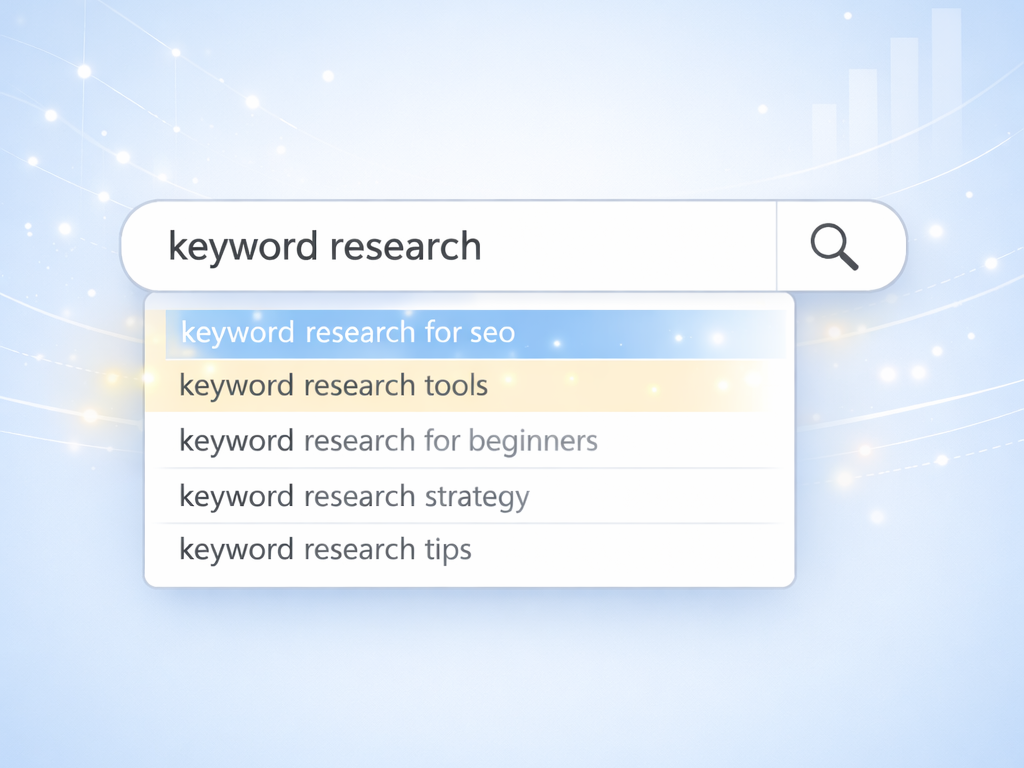
What is Google Auto Suggest?
Google Auto Suggest (or Google Autocomplete) is the dropdown list of predictions that appears the moment you start typing in the search bar.
These suggestions aren't random. They are powered by Google's algorithm based on:
- Real user searches: What people are actually typing.
- Trending queries: Topics spiking in popularity right now.
- Location and language: Contextual relevance to the user.
- Freshness: New queries that older databases haven't caught yet.
In other words, Auto Suggest reflects actual demand. That is gold for SEO.
Why Google Auto Suggest wins for keyword research
Most third-party keyword tools rely on historical data and estimates. Google Auto Suggest relies on live behavior. Here is why that matters for your strategy:
1. You get real search intent
If Google suggests it, people are searching for it. Period. Using these suggestions helps you:
- Match your content to specific user needs.
- Stop guessing what your audience wants.
- Focus on keywords that already have proven traction.
2. You uncover long-tail keywords fast
Auto Suggest naturally favors longer, more specific queries to help users finish their thoughts. These long-tail keywords usually offer:
- Lower competition (easier to rank).
- Higher conversion intent (the user knows what they want).
- Clearer content angles.
3. You spot trends before tools do
Keyword tools often have a data lag of 30 to 90 days. Auto Suggest updates in near real-time. This makes it ideal for catching emerging topics, seasonal trends, and new product comparisons before the market gets saturated.
How to use Google Auto Suggest
You don’t need any special tools to get started, just a browser (preferably in Incognito/Private mode to avoid personalizing results based on your history).
Step 1: Start with a seed keyword
Type a broad topic into Google, but do not hit enter yet. Look at the immediate list.
Example:
Input: keyword research
Each prediction that appears below is a potential primary keyword or sub-topic.
Step 2: Use the alphabet method
To dig deeper, add a space and a letter after your seed keyword. Go through the alphabet (A-Z).
Examples:
- Input: keyword research a
- Input: keyword research b
- Input: keyword research c
This forces Google to reveal specific variations you wouldn't think of. You will quickly find tool comparisons, "best of" lists, and specific use-cases.
Step 3: Use questions and modifiers
People often search in questions. Add modifiers to the beginning or middle of your query to find high-intent phrases:
Try adding: how, best, tool, for, vs
Examples:
- Input: keyword research for...
- Result: keyword research for youtube
- Result: keyword research for startups
- Input: how to do keyword...
- Result: how to do keyword research for free
These are high-intent phrases that often convert very well because the user is looking for a solution.
Step 4: Check "related searches"
After you finally hit enter on a search, scroll to the bottom of the results page. The "Related searches" section (and the "People also ask" box) expands your list even further. Think of this as Auto Suggest’s cousin—it shows you logically related topics that provide great context for content clusters.
Turning Auto Suggest keywords into content
Finding the keywords is only half the job. The real win is turning them into content that ranks.
Map keywords to intent
Don't just make a messy list. Group your findings by what the user wants:
- Informational: how to, what is, why (Blog posts, Guides)
- Commercial: best, top, review, vs (Comparison pages)
- Transactional: tool, software, pricing, buy (Landing pages)
Build content clusters
Use one broad keyword as your core topic and the Auto Suggest variations as supporting posts.
Example Structure:
- Pillar Page: The Ultimate Guide to Keyword Research
- Cluster Post 1: Keyword research for beginners
- Cluster Post 2: Best keyword research tools for SEO
- Cluster Post 3: How to do keyword research for ecommerce
This structure builds topical authority and improves internal linking.
Validate with Search Console
Once your content is live, check Google Search Console to see which queries are actually triggering impressions. You will often see Auto Suggest variations appearing there quickly. That is your signal to optimize further for those specific terms.
Common mistakes to avoid
Google Auto Suggest is powerful, but only if you use it right. Avoid these traps:
- Don't assume volume equals value: Auto Suggest doesn't show search volume numbers. Just because a term is suggested doesn't mean it has millions of searches—but it does mean the intent is there.
- Don't ignore intent: Don't try to sell a product on a "how-to" informational query.
- Don't blind-copy: Sometimes suggestions are navigational (e.g., someone looking for a specific competitor login page). Filter those out.
How SearchSEO fits into this strategy
Auto Suggest helps you find what people are searching for. SearchSEO helps you win the click once you rank.
The SEO loop works like this:
- Discovery: You use Auto Suggest to find high-intent keywords.
- Creation: You build optimized content.
- Engagement: You need clicks to prove to Google that your result is relevant.
If you are ranking for these Auto Suggest terms but not getting the traffic, your organic CTR (Click-Through Rate) might be the bottleneck.
SearchSEO reinforces your strategy by optimizing your CTR signals. By combining smart keyword targeting with high engagement signals, you build the momentum needed to secure—and keep—top positions.


.svg)